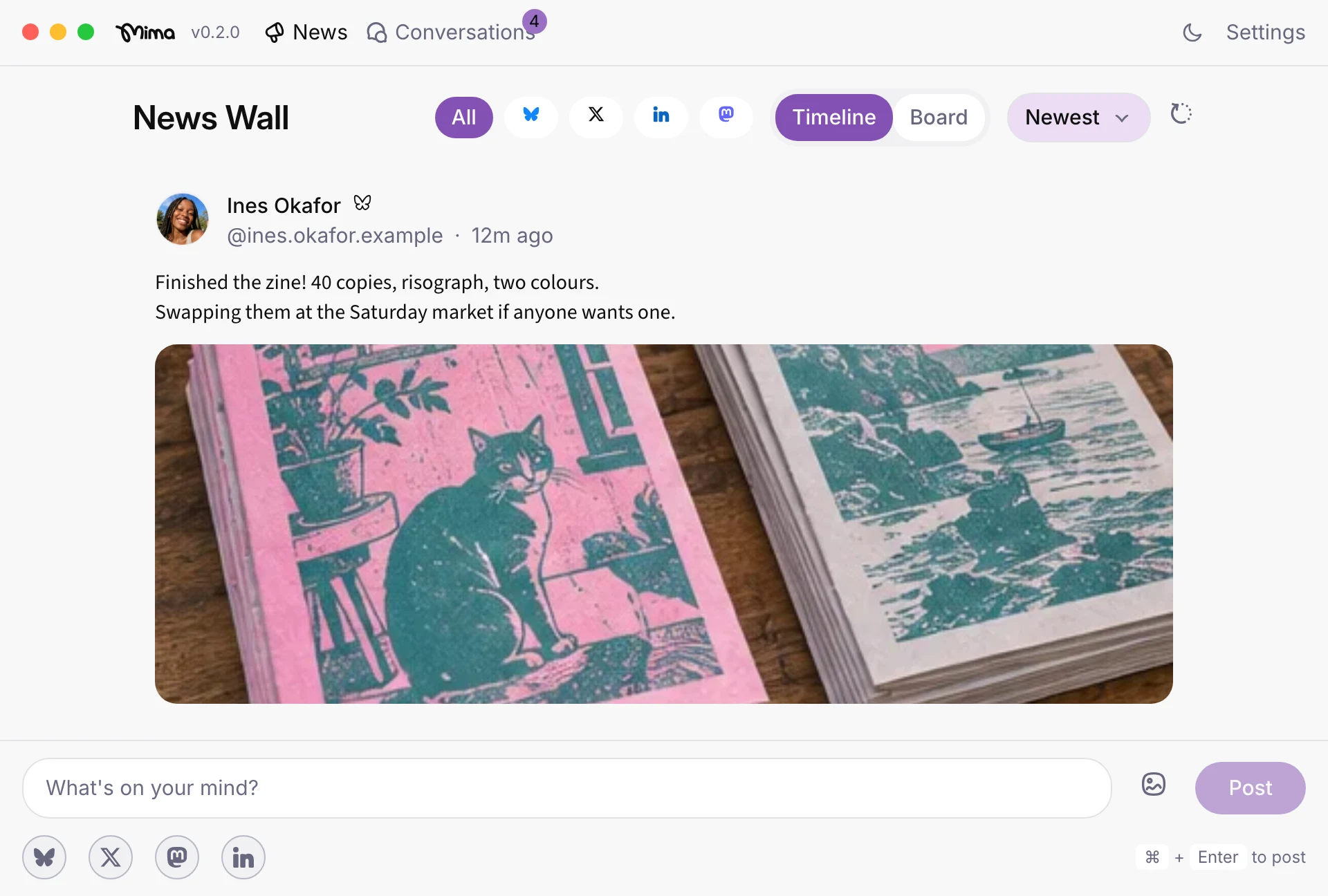
How to Cross-Post to Bluesky, X, LinkedIn, and Mastodon from a Mac
In short: On an Apple Silicon Mac, Mima lets you sign in to Bluesky, X, LinkedIn, and Mastodon with each network’s own login, then compose once and publish across all four accounts.
TL;DR
- On an Apple Silicon Mac, Mima lets you sign in to Bluesky, X, LinkedIn, and Mastodon with each network’s own login. You can then compose once and publish across the four accounts.
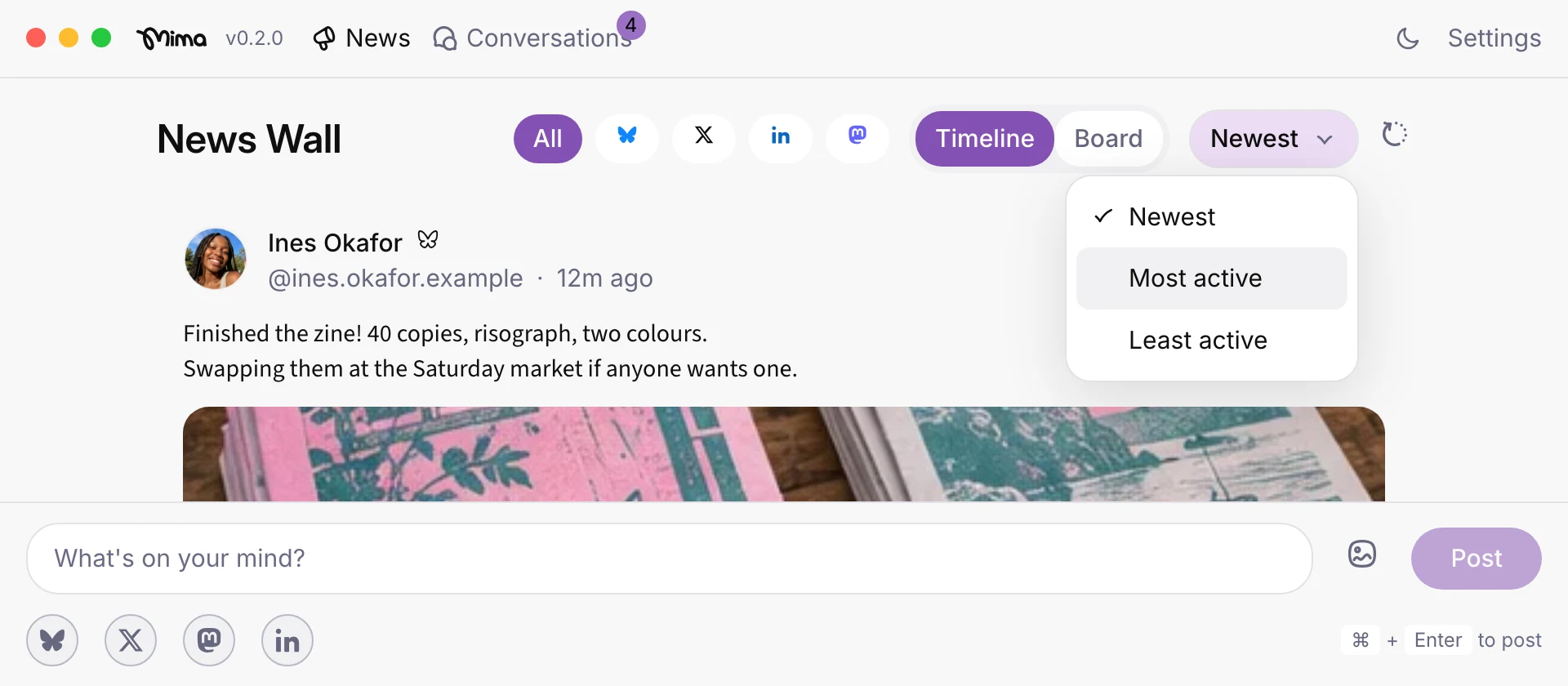
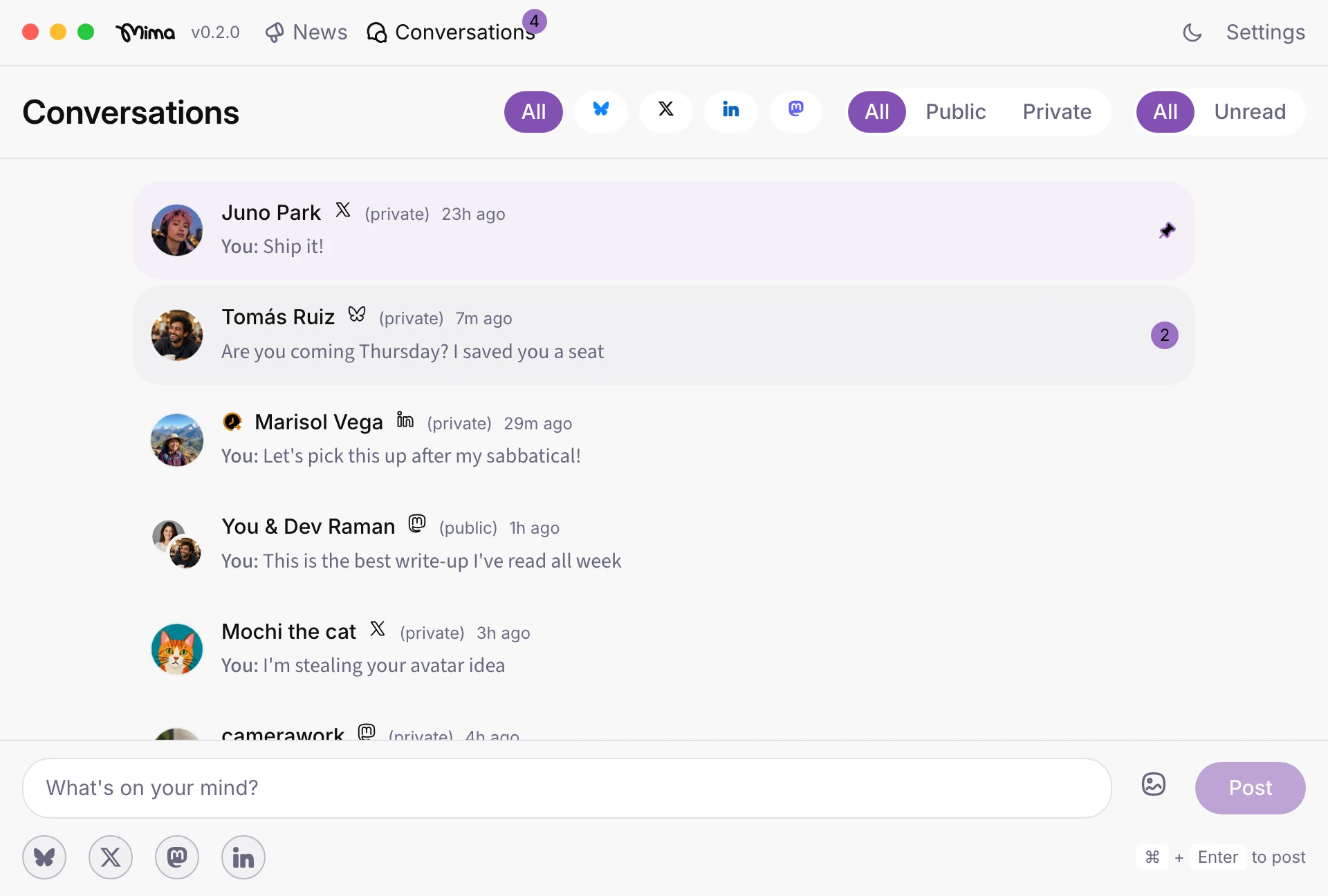
- Mima brings incoming posts from your social networks into a feed you can sort by newest, most active or least active. Meanwhile, mentions and DMs accumulate in a unified inbox.
- Choose Mima for cross-platform posting from a private desktop app.
Cross-platform posting across four separate accounts on one Mac, from one app
If you use Bluesky, X, LinkedIn, and Mastodon, posting the same update separately means switching between accounts and posting your draft four times. Mima's cross-platform posting lets you write an update once and share it across those networks.
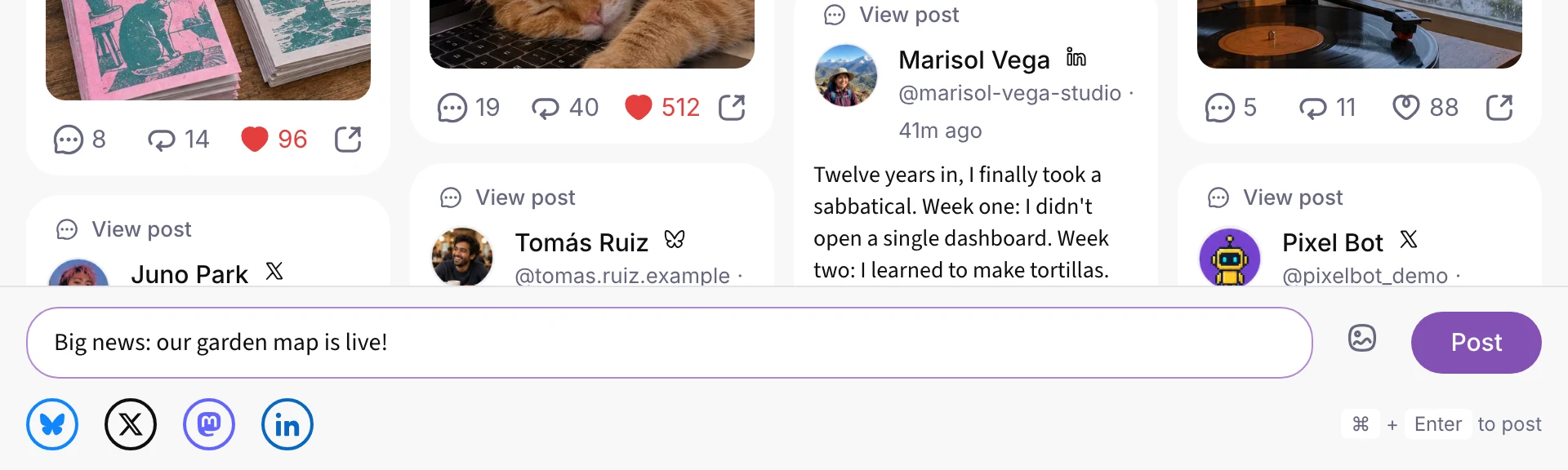
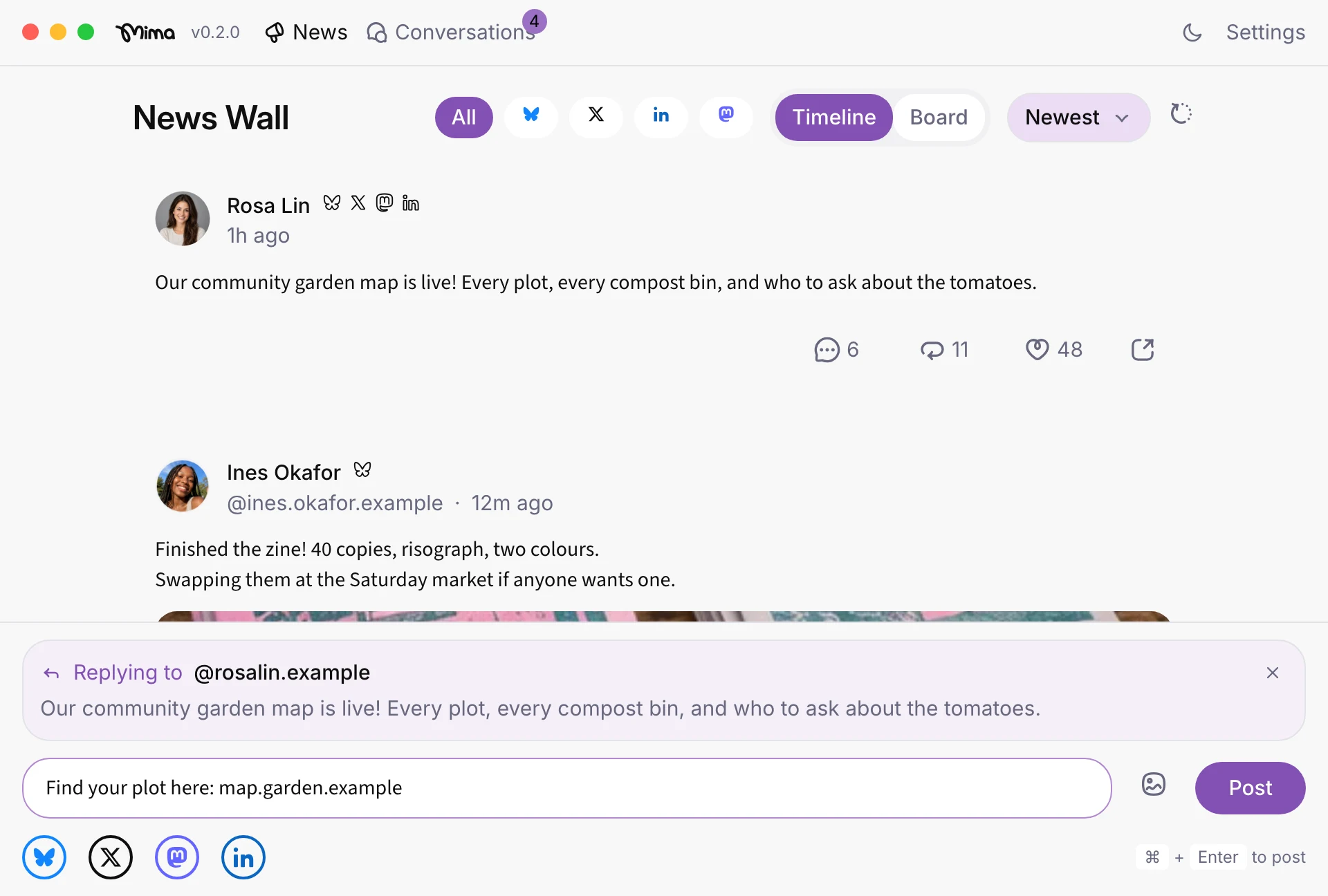
Mima also lets you reply to your own cross-posts from the same composer, making threads and "link in reply" type posting across four networks a breeze. Additionally, as people reply to your posts on different networks, you can reply to them from one place, without leaving Mima.
On an Apple Silicon Mac, Mima supports all four networks. You connect your existing accounts using each network’s own login, then compose once to share across them. Mima also brings your chronological feeds and inbox into its desktop app, so you can read posts and handle replies without returning to four separate apps.
How Mima's compose-once workflow actually works
To cross-post to Bluesky, X, LinkedIn, and Mastodon, first connect each account in Mima.
- You do not need a Mima account. Mima is software that runs on your machine, so it doesn't require any additional accounts to use. (Once upon a time, software did not require accounts to run locally!)
- Mima does not store your passwords and keeps you signed in on your computer.
- You sign in with each network's own login page. For Bluesky and Mastodon, Mima opens the sign-in page in your usual web browser. For X and LinkedIn, the network's own login page opens in a Mima window.
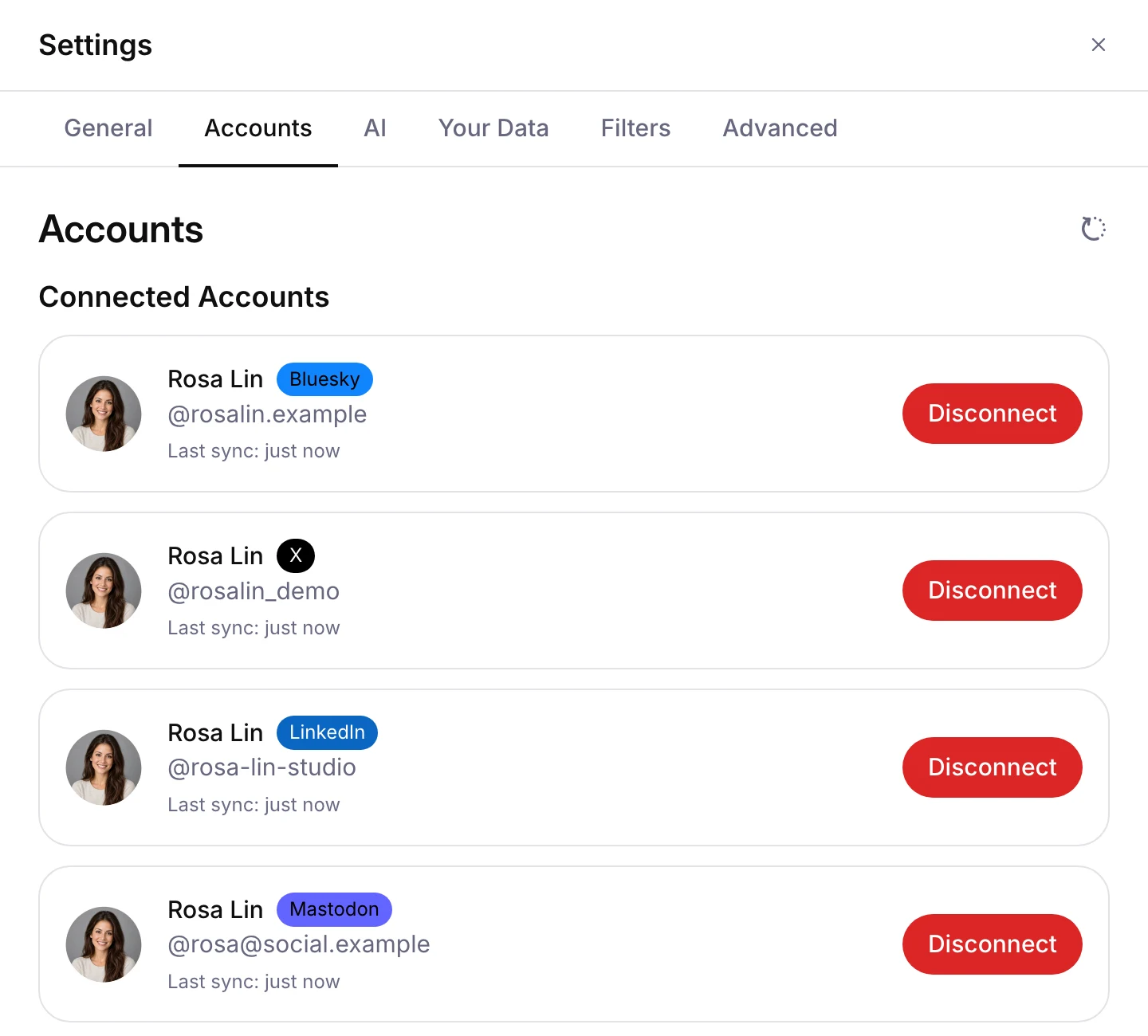
After connecting the accounts, you can begin to compose messages once and share them across any of your networks. Data travels directly between your social accounts and the app, without routing through any Mima servers.
Checking your posts after publishing: feed and inbox
Your new post shows up in Mima's News Wall as one card, with a badge for each network it went to. While it is still sending, the card is greyed out and marked "Posting…". If a network refuses the post, the card is marked "Not sent" with the reason, and you can retry it, edit it in the composer, or discard it.
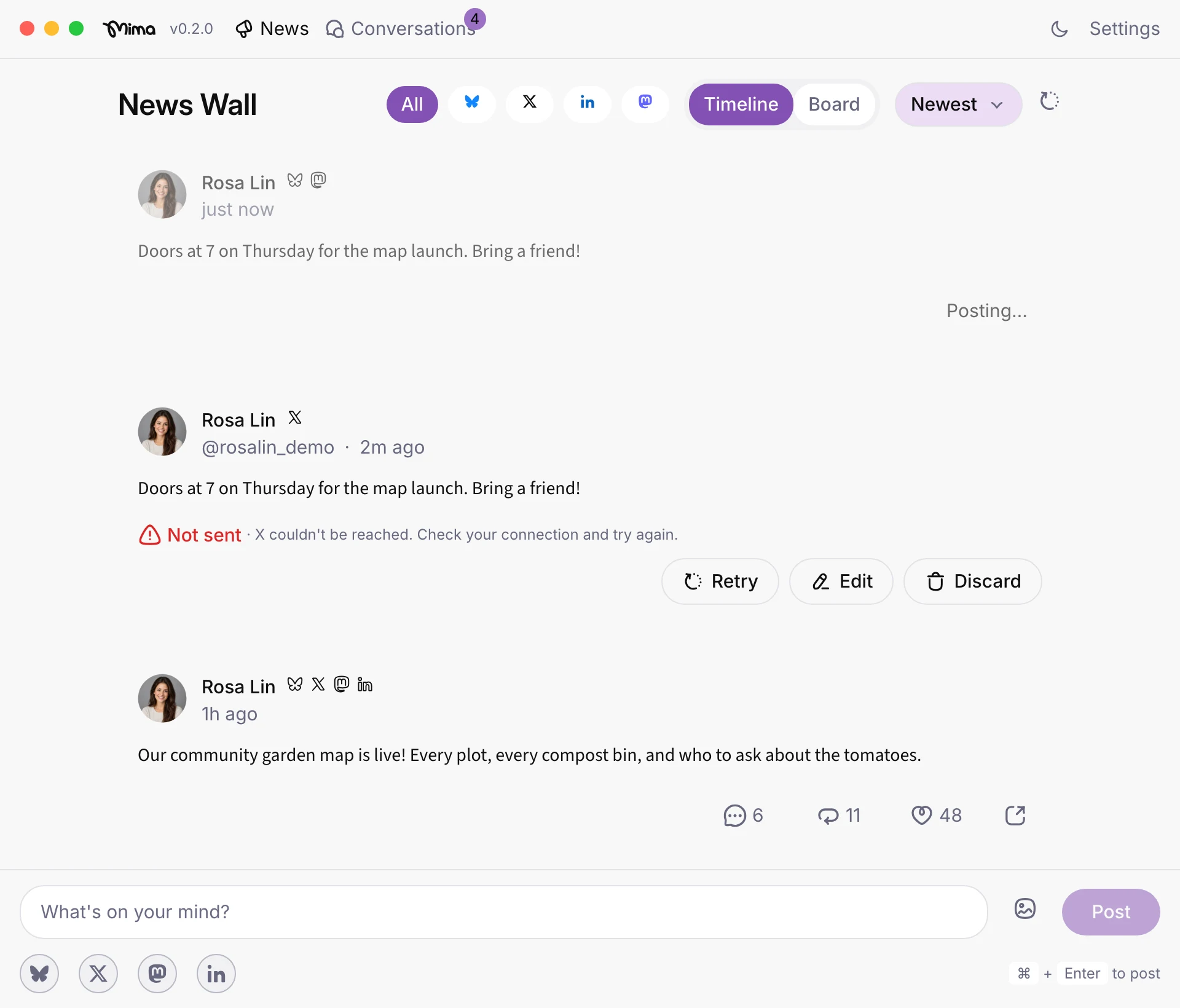
The News Wall shows the people you follow in time order, and you can sort it by newest, most active or least active. As replies come in, the unified inbox brings mentions and direct messages from your connected networks into one place, with pins and reminders for follow-up. To answer replies to a cross-post, reply once and choose which networks' copies to reply to.
What Mima does not do: scheduling, analytics, and unsupported networks
Mima supports cross-posting to Bluesky, X, LinkedIn, and Mastodon. It does not support Instagram, Facebook, or TikTok. Tell us which networks you'd like to see next!
When a scheduler or agency tool fits better than compose-and-publish
Mima’s compose-and-publish workflow fits when you want to write a post on your Mac and publish it yourself. If posts must go live while you are away, or clients must approve drafts before publication, look for a scheduler or agency tool built around those steps.
Approval needs depend on who can publish. BskyGrowth’s small-team guidance says a solo operator posting under their own name may not need formal review. It suggests that two or three people can use a shared checklist, while a third regular contributor who needs a separate reviewer role may justify a paid approval tool.
Multi-client work adds another coordination problem. Schedulala describes agencies losing approvals in message threads and risking posts to the wrong account as client counts grow. Both sources offer general workflow advice, not evidence of a specific Mima limit.
FAQ
Which Mac hardware do I need? An Apple Silicon Mac.
Do I need a new Mima account? No. You only need logins for the networks you want to connect (X, Bluesky, Mastodon, LinkedIn).
Does Mima store my passwords? No. When you sign into your account, Mima preserves the connection's sessions, not your password.
Can I schedule posts? Not at this time.
Try it in Mima
Write once, share to Bluesky, X, LinkedIn and Mastodon, and answer every reply from one place. One feed of the people you follow, one composer for every network, and one inbox for your conversations.
Download for MacFree beta · for Apple Silicon Macs